
BOGOX FAQ
Quick answers about BOGOX: price, store speed, how discounts are applied, discount codes, limits, uninstalling and how to reach our support team.
Written by Miguel Zamora
On this page
About BOGOX
Is BOGOX free?
Yes. BOGOX is free to install and use.
Does BOGOX slow down my store?
BOGOX is built to keep its impact small. It adds its code through the app embed without editing your theme files, its scripts load after the rest of the page, and your offers come with the page itself, so the widget doesn’t wait for a separate call to our servers. While it loads, a light placeholder holds its space on the page.
Discounts
How are the discounts applied?
Each published offer has its own automatic discount in Shopify, created by BOGOX. Shoppers don’t type a code: the discount is applied in the cart and at checkout when the cart matches a tier, and they see the Discount name you set. In Discounts in Shopify it’s listed with a title that starts with “BOGOX-”. Manage it from BOGOX. If you delete it in Shopify, the offer is marked Disconnected and you can use Reconnect from its menu.
Does BOGOX work with discount codes?
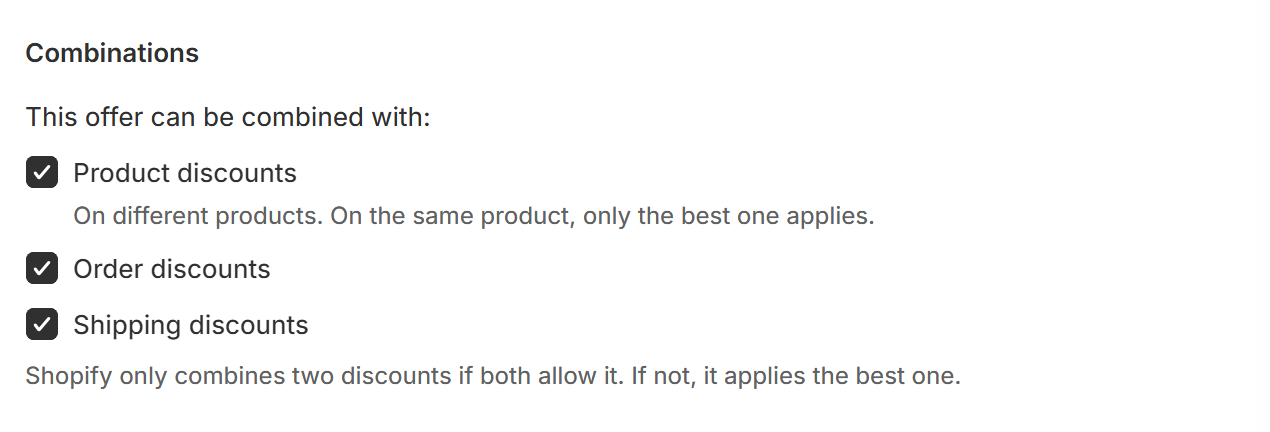
Yes, following Shopify’s combination rules. In This offer can be combined with: you choose Product discounts, Order discounts and Shipping discounts. All three are on by default. Shopify only combines two discounts if both allow it; if not, it applies the best one. Two product discounts on the same product never stack: only the best one applies.
How many offers and tiers can I create?
Each offer can have up to 20 tiers. BOGOX doesn’t limit how many offers you create, but Shopify caps how many automatic discounts can be active in a store at the same time, counting discounts from every app. If you reach that cap, turn off an offer you no longer need.
Uninstalling and support
What happens to my offers if I uninstall?
Your offers stop showing in your store, and Shopify removes the automatic discounts BOGOX created. BOGOX keeps your offer settings, so if you install BOGOX again, your offers come back in the app. An offer whose discount was removed is marked Disconnected, for example when you save it or turn it on: choose Reconnect in its menu, or remove it.
How do I contact support?
Contact us through the support details on the BOGOX listing in the Shopify App Store. Include your store address, the offer name and screenshots so we can help you faster.